
Quick answer: website maintenance includes backups, software updates, security scans, uptime monitoring, speed checks, testing forms and checkout, fixing small bugs, small content edits and a report of what was done. Larger work like new pages, redesigns or SEO campaigns is usually separate.
“Website maintenance” sounds vague, which makes plans hard to compare. One provider charges $30 a month, another $200, and both call it maintenance. The difference is in the tasks. Here is the full list I work through, so you can do it yourself or know exactly what to ask for.
1. Backups
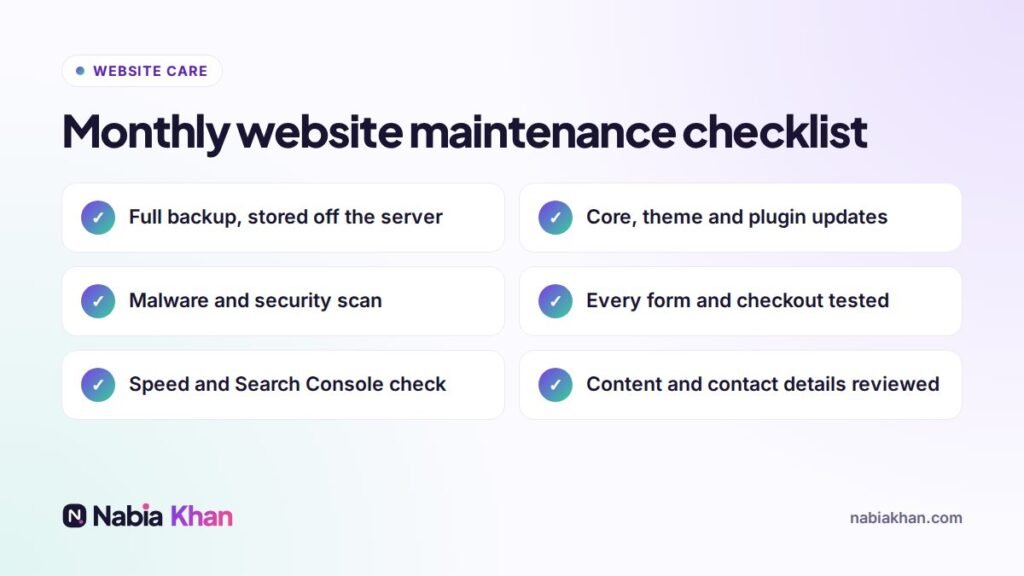
A full copy of files and database, taken automatically and stored somewhere other than your hosting server. Daily for stores and busy sites, weekly for simple ones. A good plan also tests restoring a backup now and then.
2. Software updates
WordPress core, theme and plugins (or the equivalent on other platforms). Updates should be checked afterwards, and on important sites tested first on a staging copy.
3. Security
Malware scanning, a firewall, login protection, removing old user accounts and watching for suspicious changes. See WordPress security: the steps that matter for details.
4. Uptime monitoring
A service checks your site every few minutes and alerts someone when it goes down, ideally before your customers notice.
5. Speed checks
Measuring loading speed monthly, optimising new images, cleaning the database and fixing anything that slowed the site down.
6. Forms and checkout
Submitting every form and placing a test order. Broken forms are the most common silent problem I find: the site looks fine, but enquiries go nowhere.
7. Bug fixes
Broken links, layout glitches after updates, errors in the browser console, expired certificates.
8. Content edits
Small changes such as prices, opening hours, team members, a new testimonial or an updated service description. Plans differ a lot here, so check how much time is included.
9. Search Console and analytics review
Checking for crawl errors, security warnings and changes in traffic, so problems are caught early.
10. A short report
What was updated, what was found, what was fixed and anything you should know. You should never wonder what you are paying for.
What is usually not included
- New pages or sections
- Redesigns and new features
- Copywriting and SEO campaigns
- Hosting, unless stated
Questions to ask any provider
- How often are backups taken and where are they stored?
- Do you test updates before applying them?
- How many minutes or hours of edits are included?
- How fast do you respond when the site is down?
- Is there a contract, and can I cancel any time?
For the bigger picture, read what is website maintenance. If you would like all ten tasks handled for you, my website maintenance plans cover them every month. See plan prices, which are month to month.
Frequently asked questions
What is included in a website maintenance plan?
Most plans include software updates, backups, security monitoring, uptime monitoring, speed checks, bug fixes and a set amount of content edits, plus a monthly report.
Is hosting included in website maintenance?
Sometimes. Some providers include hosting, others maintain the site on your own hosting. Always ask, so you are not paying twice or missing something.
What is not usually included in website maintenance?
New pages, redesigns, new features, large content projects and SEO campaigns are usually extra. Check how many edit hours a plan includes.