Quick answer: website maintenance is the regular care that keeps your website secure, fast, working and up to date. It covers software updates, backups, security checks, speed tuning, fixing small problems and keeping your content current. Think of it like servicing a car: skip it and things still run for a while, until they suddenly do not.
Most business owners only think about their website when something breaks. A form stops sending emails, the site goes down, or a client mentions that the page looks strange on their phone. By then the fix is usually bigger and more urgent than it needed to be. Here is what maintenance actually means, without the jargon.
What website maintenance covers
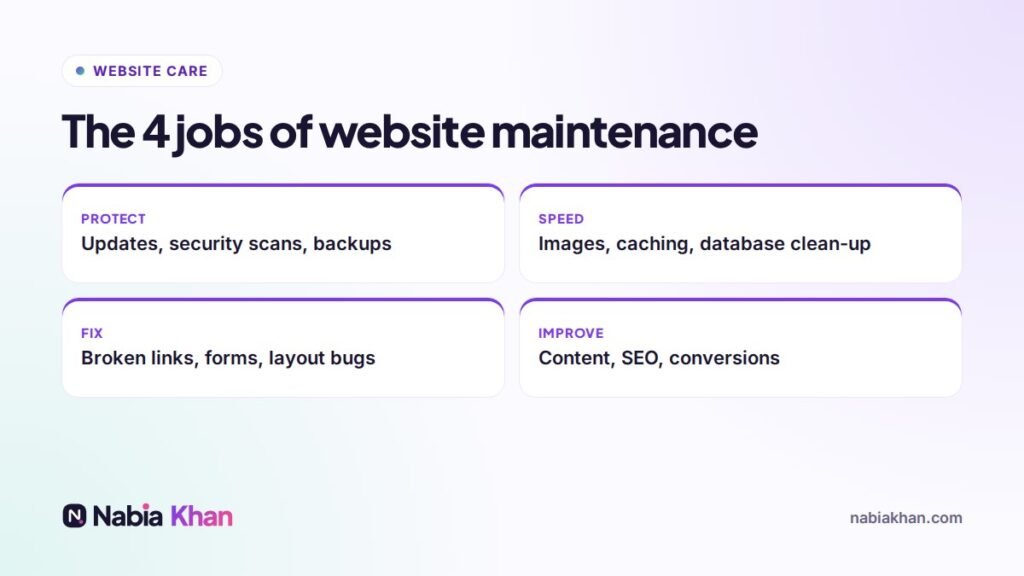
Every maintenance routine I run for clients falls into four jobs:
1. Protect
Updating WordPress, themes and plugins, scanning for malware, using a firewall and taking backups stored somewhere other than your hosting account. This is the most important part, because outdated software is the most common way small business sites get hacked.
2. Keep it fast
Sites slow down over time as images, plugins and database clutter pile up. Regular checks catch this before visitors and Google notice.
3. Fix small problems
Broken links, contact forms that stopped sending, layout issues after an update, an expired SSL certificate. Small issues are cheap to fix when caught early.
4. Improve
Updating prices, team photos, services and opening hours, adding new pages and reviewing what visitors do. This is where maintenance starts paying for itself.
How often should it happen?
- Weekly: software updates, security scan, backup check
- Monthly: test every form, check speed and Google Search Console, remove unused plugins
- Every 3 to 6 months: review content, prices and photos, and look at which pages bring enquiries
For a detailed list you can follow, see what website maintenance includes.
What happens if you skip it
Nothing, for a while. Then one of these usually happens: a plugin vulnerability gets exploited and spam pages appear, an update breaks the layout, the host upgrades PHP and an old theme stops working, or the site quietly loses its Google rankings because it became slow. I wrote about the worst case in what to do if your WordPress site is hacked.
What website maintenance costs
You have three options:
- Do it yourself: free in money, about one to two hours a month in time, plus the risk of fixing things you are not sure about.
- Pay per job: fine for simple sites, but you only call someone after something breaks.
- A monthly plan: most small business plans cost $40 to $200 a month. Mine start at $45.99 and are month to month, with no long contract. See the care plans on my pricing page.
Do you need a maintenance plan?
You probably do if your website brings in leads or sales, runs on WordPress or WooCommerce, or if nobody on your team enjoys this kind of work. You might not need a full plan if you run a small Squarespace or Wix site, because those platforms handle updates and security for you. You still need to check forms and content now and then.
How to start
The easiest first step is a check-up. My free website audit gives your site a score for design, SEO, content and speed in about a minute. If you would rather hand the whole thing over, my website maintenance service covers updates, backups, security, speed and small edits every month, including sites I did not build. WordPress owners should also read WordPress maintenance: the complete guide.
Frequently asked questions
What is website maintenance?
Website maintenance is the ongoing work of updating software, backing up files, checking security, fixing problems and keeping content current so a website stays safe, fast and useful.
How often does a website need maintenance?
Security updates and backups should happen at least weekly, forms and speed should be checked monthly, and content should be reviewed every three to six months.
How much does website maintenance cost?
Small business maintenance plans usually cost between $40 and $200 per month, depending on how often work is done, whether edits are included and how quickly support responds.