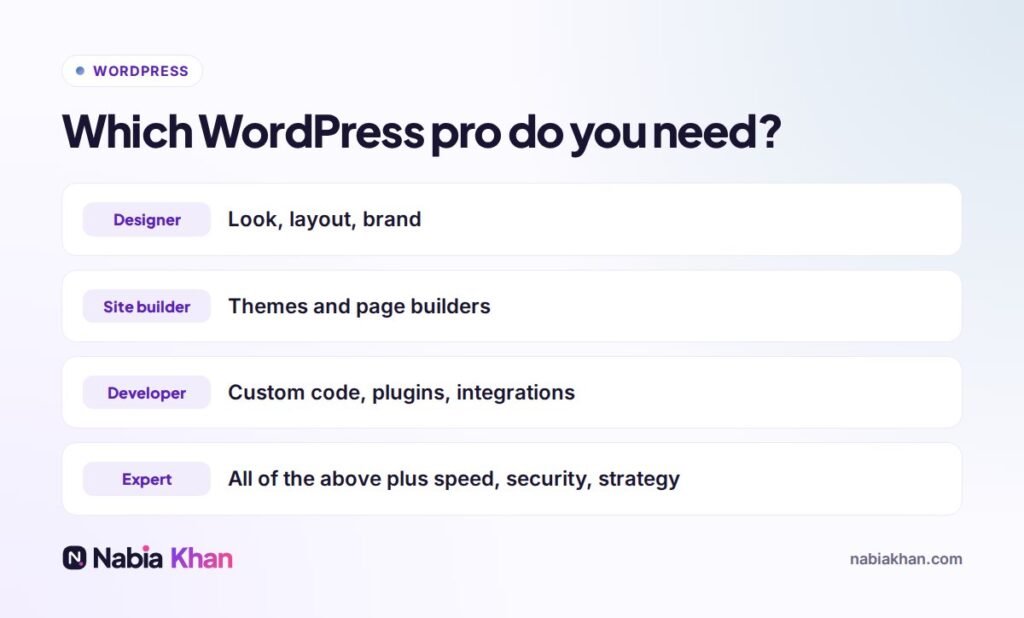
Quick answer: a WordPress designer focuses on how the site looks, a site builder assembles sites with themes and page builders, a WordPress developer writes custom code, and a WordPress expert covers all of this plus speed, security, hosting and strategy. Simple brochure sites rarely need an expert; stores, slow sites, broken sites and custom features usually do.
Search for help with WordPress and you will see every title imaginable. The labels are not regulated, so the same person might call themselves a designer on one platform and an expert on another. What matters is what they can actually do for your project.
The four types, explained
WordPress designer
Strong on layout, typography, colour and brand. Usually designs in Figma and may or may not build the site.
Site builder
Uses ready-made themes and page builders like Elementor to assemble sites quickly. Great value for straightforward projects, less suited to custom features or performance problems.
WordPress developer
Writes PHP, JavaScript and CSS: custom themes, custom plugins, integrations with other systems, WooCommerce customisation. I explain the role in more detail in what does a WordPress developer do.
WordPress expert
Combines design and development with the less visible skills: hosting, caching, security hardening, database performance, SEO structure and knowing which plugins to trust. An expert can tell you what not to build.
When you need an expert
- Your site is slow and nobody can say why
- It was hacked, or keeps breaking after updates
- You run a store or membership site where downtime costs money
- You need custom features or integrations
- You are moving hosts or platforms and cannot afford to lose rankings
When a site builder is enough
A simple, five page site with a contact form and a gallery does not need deep expertise. Choose someone with good taste, a clear process and fair prices.
How to spot real WordPress expertise
- Live sites, not just screenshots. Open them on your phone and check how fast they load.
- Clear answers about speed and security. Ask what they do for caching, backups and updates.
- Fewer plugins, not more. Experts solve problems with the minimum needed.
- They ask about your business. Good advice depends on goals, not just features.
- They explain trade-offs. “It depends, and here is why” is a good sign.
What it costs
Experienced WordPress freelancers often charge between $25 and $100 per hour, depending on experience and location, and many prefer fixed prices for defined projects. See how to hire a WordPress developer for a full hiring checklist, or how to compare WordPress design companies if you are also considering agencies.
I have worked with WordPress for more than five years, from custom themes and WooCommerce stores to rescues of hacked and broken sites. See my WordPress development service, browse my work, or describe your project and I will tell you honestly what level of help you need.
Frequently asked questions
What is a WordPress expert?
A WordPress expert has deep, broad experience with WordPress: design, development, performance, security, SEO and hosting, and can advise on the best approach for a project, not just build it.
Is a WordPress expert more expensive than a developer?
Often slightly, per hour. But an expert usually solves problems faster and avoids costly mistakes, which can make the total cost lower.
How can I check if someone is a real WordPress expert?
Ask to see live sites, ask how they handle speed, security and updates, and ask what they would not use on your project. Real experts explain trade-offs clearly.