Quick answer: WordPress security comes down to five habits: keep everything updated, use strong passwords with two-factor login, keep tested off-site backups, use a firewall with malware scanning, and remove what you do not use. The other ten steps below make a good setup even harder to break.
When I clean up hacked WordPress sites, the cause is almost never sophisticated. It is an abandoned plugin from 2019, an admin password reused from another site, or a theme that has not been updated in years. The good news: those are all things you can fix this week.
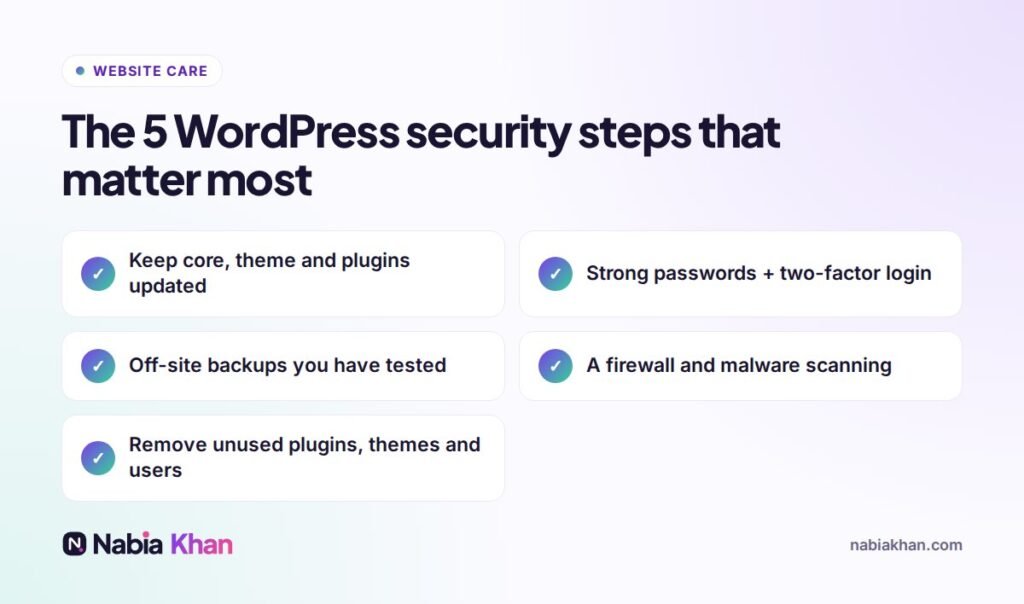
The essentials
1. Update core, themes and plugins
Security fixes are released constantly. Update weekly, and check the site afterwards. See how to update plugins safely.
2. Strong, unique passwords
Use a password manager and a different password for every admin account.
3. Two-factor authentication
A code from an app on your phone stops almost all password-guessing attacks.
4. Tested, off-site backups
If everything else fails, a clean backup gets you back online in minutes. Read WordPress backup done properly.
5. Firewall and malware scanning
A reputable security plugin or host-level protection blocks bad traffic and alerts you to suspicious files.
Strong extras
6. Remove unused plugins and themes
Deactivated plugins can still contain vulnerable code. Delete what you do not use.
7. Only install trusted plugins
Check last update date, active installs and reviews. Never install “nulled” premium plugins from unofficial sites; they often contain malware.
8. Limit admin accounts
Give people the lowest role they need. Remove accounts for former staff and agencies.
9. Limit login attempts
Block repeated failed logins to stop automated guessing.
10. Use HTTPS everywhere
A valid SSL certificate on every page, with HTTP redirected to HTTPS.
11. Choose good hosting
Quality hosts isolate accounts, keep server software updated and often include malware scanning and backups.
12. Keep PHP up to date
Old PHP versions stop receiving security fixes. Your host’s control panel shows which version you run.
13. Disable file editing in the dashboard
Turning off the built-in theme and plugin editor means a stolen login cannot easily inject code.
14. Watch Google Search Console
Google warns site owners about detected malware and hacked content. Connect it and read the emails.
15. Have a plan
Know who to call and where your backups are. If the worst happens, follow what to do if your WordPress site is hacked.
What you can skip
Changing the database prefix on an existing site, hiding the WordPress version, or stacking three security plugins add little real protection and sometimes cause problems. Focus on the basics above.
Security is part of every one of my website maintenance plans: updates, backups, firewall, scanning and monitoring. Not sure how safe your site is? Start with a free website audit.
Frequently asked questions
Is WordPress secure?
WordPress core is well maintained and secure. Most hacked WordPress sites are caused by outdated plugins or themes, weak passwords or poor hosting, all of which you can control.
Do I need a security plugin for WordPress?
A reputable security plugin or a host with built-in protection is recommended. It adds a firewall, malware scanning and login protection. One good security tool is enough; do not stack several.
How do I know if my WordPress site has been hacked?
Warning signs include strange redirects, spam pages in Google results, new admin users, unknown files, a browser or Google warning, or your host suspending the site.