

Quick answer: great ecommerce website design removes every reason to hesitate. That means sharp product photos, honest descriptions, clear prices and shipping costs, real reviews, fast mobile pages and a short checkout. Pretty design helps, but trust and clarity are what make people buy.
I have built online stores selling candles, clothing, supplements, furniture and digital courses. The products change, the reasons people abandon a store do not. Here are the twelve things I check on every store I design.
1. A homepage that sorts people quickly
Show what you sell and who it is for in the first screen, then send people into clear categories or bestsellers. A big slider with five rotating messages usually gets ignored.
2. Navigation that matches how customers think
Group products the way buyers search: by type, need or occasion, not by your internal stock codes. Keep the menu short and add search for larger catalogues.
3. Product photos that answer questions
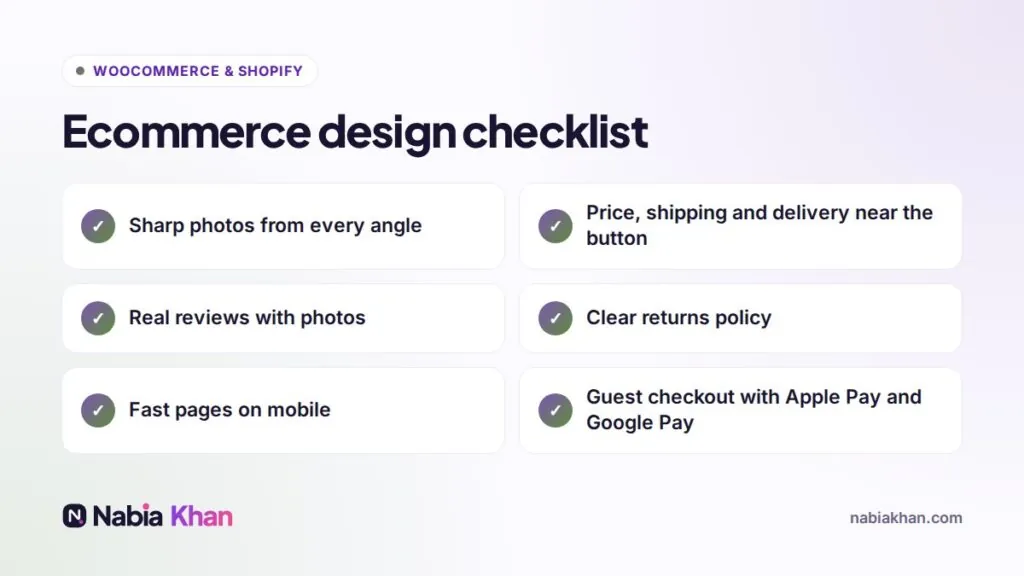
Several angles, close-ups of texture and details, the product in use and something for scale. On a phone, photos do most of the selling.
4. Descriptions written for buyers
Lead with the benefit, then the details: size, materials, care, what is in the box. Answer the questions you get by email. Good descriptions also help you rank, as I explain in why websites do not convert.
5. Price, shipping and delivery time near the button
Surprise shipping costs at checkout are one of the most common reasons carts get abandoned. Show them early, along with a realistic delivery date.
6. Reviews with substance
Star ratings plus written reviews, ideally with photos. A few honest reviews beat dozens of vague five-star lines.
7. A clear returns policy
Link it near the add to cart button. A simple, fair policy lowers the risk of buying from a shop people do not know yet.
8. Fast pages on mobile
Most store traffic is mobile. Compress images, limit apps and scripts, and use good hosting. Speed affects both sales and rankings; see WordPress speed optimization.
9. A short checkout
Guest checkout, as few fields as possible, address autocomplete and wallets like Apple Pay and Google Pay. Every extra step loses buyers.
10. Trust signals in the right places
Secure payment icons, contact details, a real About page and quick answers to common questions. Not badges everywhere, just where doubt appears.
11. Emails that bring people back
Abandoned cart reminders, order updates and a welcome email for newsletter sign-ups recover sales you would otherwise lose.
12. Measurement from day one
Set up analytics with ecommerce tracking so you can see which products, pages and campaigns actually make money.
Which platform?
Shopify and WooCommerce both handle all twelve points well. I explain what goes into each in WooCommerce development and Shopify development, and if you are leaning towards Shopify, how much a Shopify store costs gives you realistic numbers.
Want a store built around these principles? See my Shopify and WooCommerce store design, check my store package, or get a free audit of your current shop.
Frequently asked questions
What makes a good ecommerce website?
Clear product photos, honest descriptions, visible shipping costs and delivery times, reviews, fast mobile pages and a short checkout with trusted payment options.
How much does an ecommerce website cost?
A small store built by a freelancer usually costs $1,000 to $5,000, plus platform or hosting fees, apps and payment processing. Large catalogues and custom features cost more.
Should I use Shopify or WooCommerce for my store?
Shopify is simpler to run and handles hosting for you. WooCommerce gives more control and no platform fee. The right choice depends on your products, budget and who will run the store.