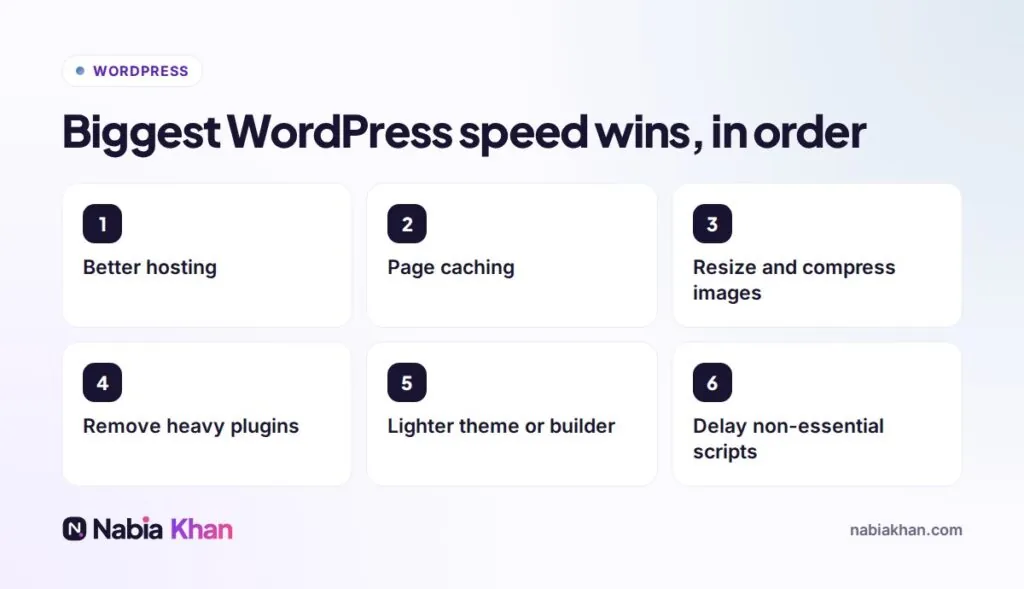
Quick answer: the biggest WordPress speed wins usually come from better hosting, page caching, properly sized images, fewer and lighter plugins, a lean theme, and delaying non-essential scripts. Measure with Google PageSpeed Insights before and after each change, and focus on mobile results.
Speed problems are the most common issue in the website audits I run. The good news: most WordPress sites can get dramatically faster without a redesign. Here are the twelve fixes I apply, in order of impact.
First, measure
Run your homepage and one important inner page through Google PageSpeed Insights on mobile. Write down the scores and Core Web Vitals. Repeat after each change so you know what helped.
The 12 fixes
1. Hosting
Cheap shared hosting is the most common cause of slow WordPress. Good managed WordPress hosting or a well-configured server makes everything else easier.
2. Page caching
Serve ready-made pages instead of building each one from scratch. Use your host’s caching or one reputable caching plugin.
3. Image size and format
Resize images to the size they are displayed, compress them and use WebP. Lazy-load images further down the page, but not the main hero image.
4. Plugin clean-up
Remove plugins you do not need and replace heavy ones with lighter alternatives. Quality matters more than number.
5. Theme and page builder
Heavy multipurpose themes and builders load lots of code on every page. A lean theme or a custom one can halve page weight.
6. Delay non-essential scripts
Chat widgets, trackers and social embeds can load after the main content.
7. Fonts
Host fonts on your own server, use only the weights you need and preload the main one.
8. A CDN
A content delivery network serves files from a location near each visitor.
9. Database clean-up
Remove old revisions, spam comments, expired data and leftovers from deleted plugins.
10. Up-to-date PHP
Newer PHP versions are noticeably faster and more secure.
11. Fewer external requests
Each embedded map, video or widget from another service adds delay. Use them where they add real value.
12. Prevent layout shifts
Set image and video dimensions so content does not jump while loading.
Keep it fast
Speed slowly degrades as content and plugins pile up, so check monthly. Speed checks are part of regular WordPress maintenance, and faster pages also lift your conversion rate.
Want it done for you? My speed and SEO service includes a before and after report. Or start with the free website audit to see your current speed score.
Frequently asked questions
Why is my WordPress site slow?
Usually slow hosting, no caching, oversized images, too many or heavy plugins, a heavy page builder or theme, and third-party scripts such as chat widgets and trackers.
What is a good loading time for a WordPress site?
Aim for the main content to appear within about 2.5 seconds on mobile. Google's Core Web Vitals measure this as Largest Contentful Paint.
Will a caching plugin fix my slow WordPress site?
Caching helps a lot, but it cannot fully fix slow hosting, huge images or heavy plugins. Treat it as one important fix among several.