Quick answer: WooCommerce development means building and customising an online store on WordPress: products, payments, shipping and tax rules, design, custom features, speed and security. A simple store can run on standard settings. You need a developer when your products, pricing, shipping or integrations do not fit the defaults, or when the store gets slow.
WooCommerce powers a huge number of online stores because it is flexible and the core plugin is free. That flexibility is also the trap: it is easy to install fifteen extensions, a heavy theme and a page builder, and end up with a slow store held together by luck. Good development is mostly about choosing what not to add.
What a WooCommerce store is made of
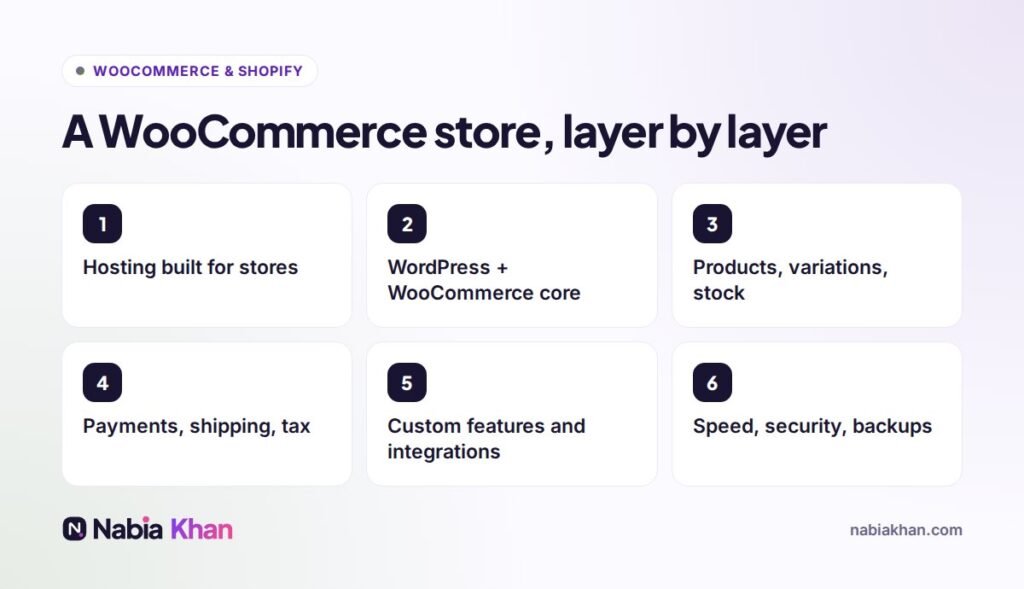
Hosting built for stores
Shop pages, carts and checkouts cannot be fully cached like blog posts, so a store needs more server power than a brochure site. Cheap shared hosting is the most common reason WooCommerce feels slow.
Products done properly
Variations (size, colour), stock management, product attributes for filtering and clear product data. Setting this up well at the start saves hours of cleanup later.
Payments, shipping and tax
Stripe, PayPal, Apple Pay and Google Pay, shipping zones and rates, free shipping thresholds and tax settings for where you sell. This is where small mistakes cost real money.
Custom features
Product configurators, B2B pricing, subscriptions, bookings, wholesale accounts, gift messages, custom checkout fields. Some need a plugin; some are better as a small piece of custom code.
Integrations
Connecting the store to accounting, inventory, email marketing, CRM or a fulfilment service so orders flow without copy and paste.
Speed, security and backups
Image optimisation, caching that respects carts, a firewall, regular backups and tested updates. A store that goes down during a sale is losing money every minute.
Plugin or custom code?
My rule: use a well-maintained plugin when it does exactly what you need, and write custom code when you would otherwise stack three plugins to get close. Fewer moving parts means a faster store and fewer things that can break during updates.
When you need a WooCommerce developer
- Your products have options that standard variations cannot handle
- Your shipping or pricing rules are unusual
- The store is slow, especially cart and checkout
- You need to connect the store to other systems
- Updates keep breaking something
If you are hiring, read how to hire a WooCommerce developer first.
WooCommerce or Shopify?
WooCommerce gives full control and no platform fee, but needs hosting and regular care. Shopify is simpler to run but less flexible. I explain Shopify’s side in Shopify development explained, and design principles that apply to both in ecommerce website design.
Keeping the store healthy
A WooCommerce store is never “finished”. Updates, backups and speed checks every month keep it safe; see WordPress maintenance for what that involves.
Need a store built, fixed or sped up? See my WooCommerce and Shopify development service, check the online store package, or tell me what you sell.
Frequently asked questions
What is WooCommerce development?
WooCommerce development is setting up and customising a WooCommerce store on WordPress: products, payments, shipping, taxes, design, custom features, integrations, speed and security.
Do I need a developer for WooCommerce?
Not for a small, simple store. You do need one for custom product options, complex shipping or pricing rules, integrations with other systems, performance problems or a custom design.
Is WooCommerce free?
The WooCommerce plugin is free. You pay for hosting, a domain, any premium extensions you need, payment processing fees and ongoing maintenance.