Quick answer: great nonprofit website design makes the mission clear in seconds, proves impact with real stories and numbers, builds trust through transparency, and makes donating or volunteering possible in under a minute. Every page should offer a next step, and the site must be easy for a small team to keep updated.
Nonprofits usually have big missions and small teams. Their websites often reflect that: lots of heartfelt text, a donate button hidden in the menu, and a news page last updated two years ago. A few design decisions change that completely.
1. Say what you do in one sentence
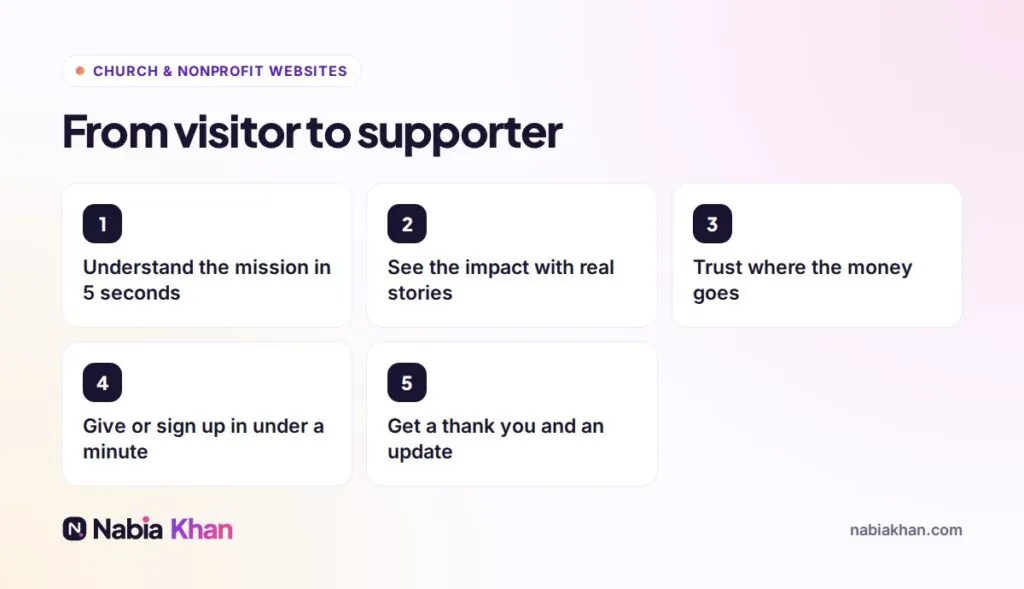
“We provide free after-school tutoring to 300 children in Dayton” is stronger than “Empowering communities through education”. Put that sentence at the top of the homepage with a strong photo from your actual work.
2. Show impact, not activity
Numbers, outcomes and individual stories with photos and names (with permission). “Your $25 buys a week of meals for a family” makes giving concrete.
3. Make donating effortless
- A donate button visible on every page
- A short form on your own site, not a confusing redirect
- Suggested amounts with what each one achieves
- A monthly giving option, clearly explained
- Apple Pay, Google Pay and cards
- An instant thank you message and receipt
4. Make volunteering just as easy
List current opportunities with time commitment, location and requirements, and a simple sign-up form. Follow up quickly; volunteer enthusiasm fades fast.
5. Build trust through transparency
Show your leadership team, annual reports, registration details and how donations are used. Logos of partners and press mentions help too.
6. Keep it current
An events page with past events or a news page that stopped in 2023 makes visitors wonder whether you still operate. Build the site so your team can update news and events in minutes. Read what website maintenance involves to plan the upkeep.
7. Accessible and fast
Readable text, good contrast, alt text on images and fast loading on phones. Many supporters will visit from social media links on their phone.
8. Be findable
Use clear page titles with your cause and location, keep your Google Business Profile updated if you have a physical location, and write about the problems you solve.
Platform and budget
WordPress is a good fit for most nonprofits: flexible, affordable to host and supported by many donation plugins and platforms. Smaller organisations may prefer Squarespace for simplicity. If you are a church or ministry, see church website design for specific advice.
I design websites for nonprofits and churches that make supporting you easy. See my nonprofit website design service, check website prices, or tell me about your organisation. For a quick health check of your current site, try the free website audit.
Frequently asked questions
What should a nonprofit website include?
A clear mission statement, impact stories with real numbers, a simple donation page, volunteer sign-up, events, transparency about finances and leadership, and easy contact options.
How much does a nonprofit website cost?
A small nonprofit site from a freelancer usually costs $500 to $3,000. Donation platforms, event registration and member areas add to the scope. Some designers offer nonprofit discounts.
How can a nonprofit website get more donations?
Put a donate button on every page, keep the donation form short, offer suggested amounts and monthly giving, show the impact of each amount and thank donors immediately.