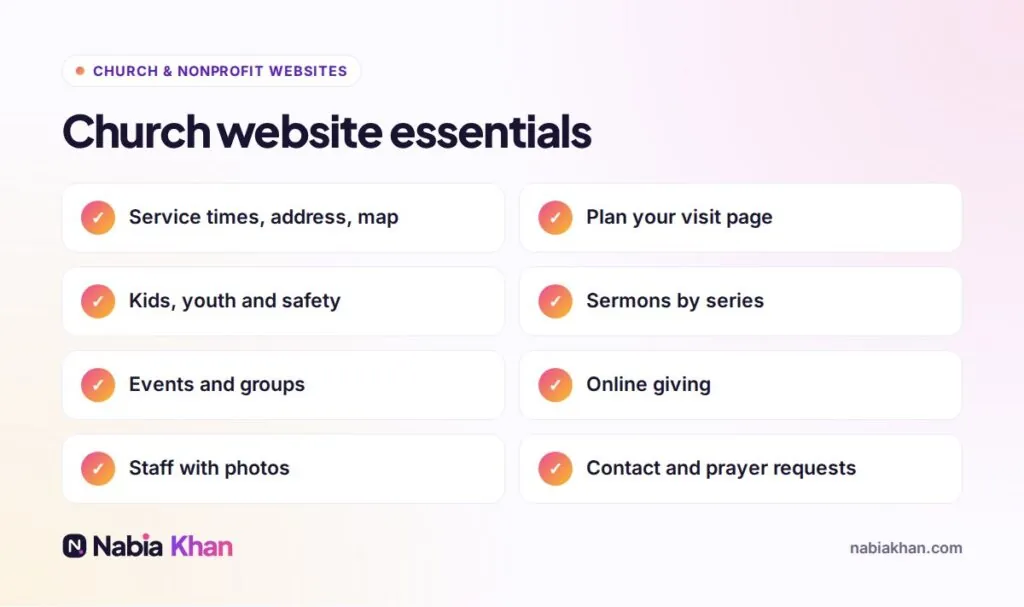
Quick answer: a church website should include service times and location, a Plan your visit page, kids and youth information, beliefs, staff, sermons, events and groups, online giving and an easy way to contact you. Behind the scenes it also needs mobile-friendly design, a privacy policy, fast loading and simple editing for volunteers.
Use this checklist with your team to review your current site, or as a brief for a new one. Tick off what you have; the gaps are your to-do list.
Homepage
- Service times and address in the first screen
- A “Plan your visit” button
- A real photo of your church family
- A one-sentence welcome that says who you are
- Links to sermons, events and giving
Plan your visit
- What to expect: length, style of worship, what to wear
- Parking and entrance, with a photo
- Accessibility information
- What happens for children on arrival
- An optional form to let you know they are coming
About and beliefs
- Your story in a few paragraphs
- What you believe in plain language, with a link to a full statement
- Denomination or network, if any
- Staff and leaders with photos and short bios
Kids and youth
- Age groups and what they do
- Safety and check-in process
- Leaders’ names and photos
Sermons and media
- Recent sermons, newest first
- Organised by series, speaker and topic
- Video or audio, plus notes if you have them
Events, groups and serving
- Upcoming events only, with registration where needed
- Small groups with day, time, place and leader
- Serving opportunities with a sign-up form
Giving
- A secure online giving platform
- One clear “Give” button in the menu and footer
- How gifts are used, and other ways to give
Contact
- Short contact form, phone, email and office hours
- A prayer request form, if you offer it
- Links to social media and livestream
Behind the scenes
- Works well on phones; tap to call and tap for directions
- Fast loading, compressed images
- Privacy policy and cookie notice if you use analytics
- Google Business Profile with matching details
- Simple editing and a short guide for volunteers
- Regular updates and backups (see website maintenance)
For design advice, read church website design for first-time visitors and 12 features of church websites that work. If your church needs a new site that covers this whole list, see my church website design service or get in touch.
Frequently asked questions
What pages should a church website have?
Home, Plan your visit, About and beliefs, Staff, Kids and youth, Sermons, Events, Groups, Give and Contact. Larger churches may add ministries, locations and a members area.
Should a church website include sermons?
Yes. Recent sermons let visitors hear the preaching style before they come, and help members catch up. Video or audio with the series and date is enough.
Do church websites need a privacy policy?
Yes, if you collect any information through forms, giving or analytics. It explains what you collect and why, and it is required by many giving platforms and privacy laws.